Boiler and heating circuits
Flow, return and your chosen measuring points in one place.
Check boiler, hot water and heating circuit temperatures. See how your system is running — on your phone or home display.
Explore the app in the demo. No account needed.
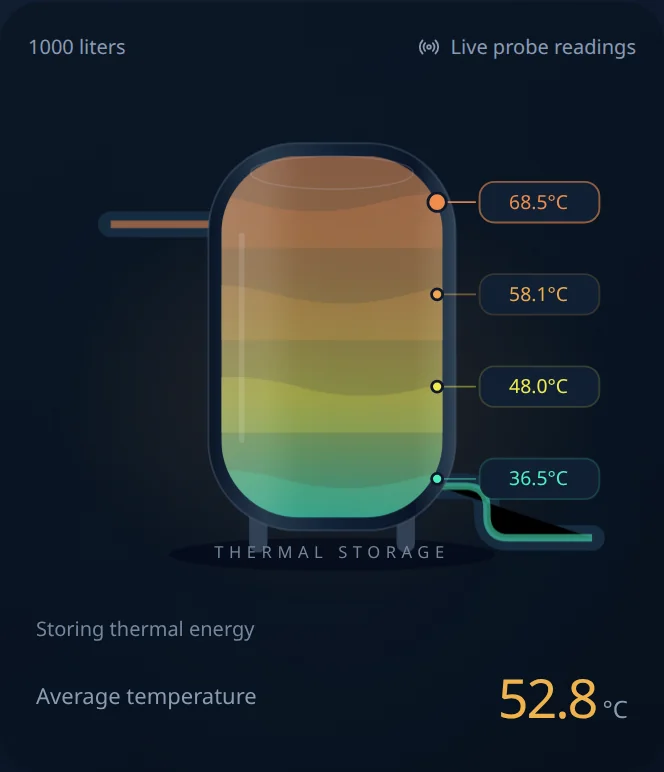
Flow, return and your chosen measuring points in one place.
Clear temperature layers for your buffer and hot water cylinder. A buffer is optional.
Compare a whole day of heating: warming up, releasing heat and temperature changes.
A whole day of readings in one chart.

The measuring module collects temperatures. The display shows them at home, and the app lets you check your system when you are away.
Availability, contents and delivery date are confirmed before ordering.
Connects the probes to your display and app.
Temperature display or thermostat with its own room temperature sensor.
Assign them to the points you choose: boiler, cylinder, buffer or heating circuits.
For connecting the probes to the module.
Your phone guides you through setting up the module and display.
Identify the probes and name them to match your heating system.
On your phone, tablet or computer. You can add the app to your phone home screen.
No. PKSense works independently. If you use Home Assistant, you can also connect your set to it.
Measurement and the set’s local functions run at home. Remote access and weather forecasts need internet.
Compatibility depends on the controller model and version. Tell us which one you have when asking about a set.
Tell us what you want to measure. We’ll help you choose the probes and configuration.